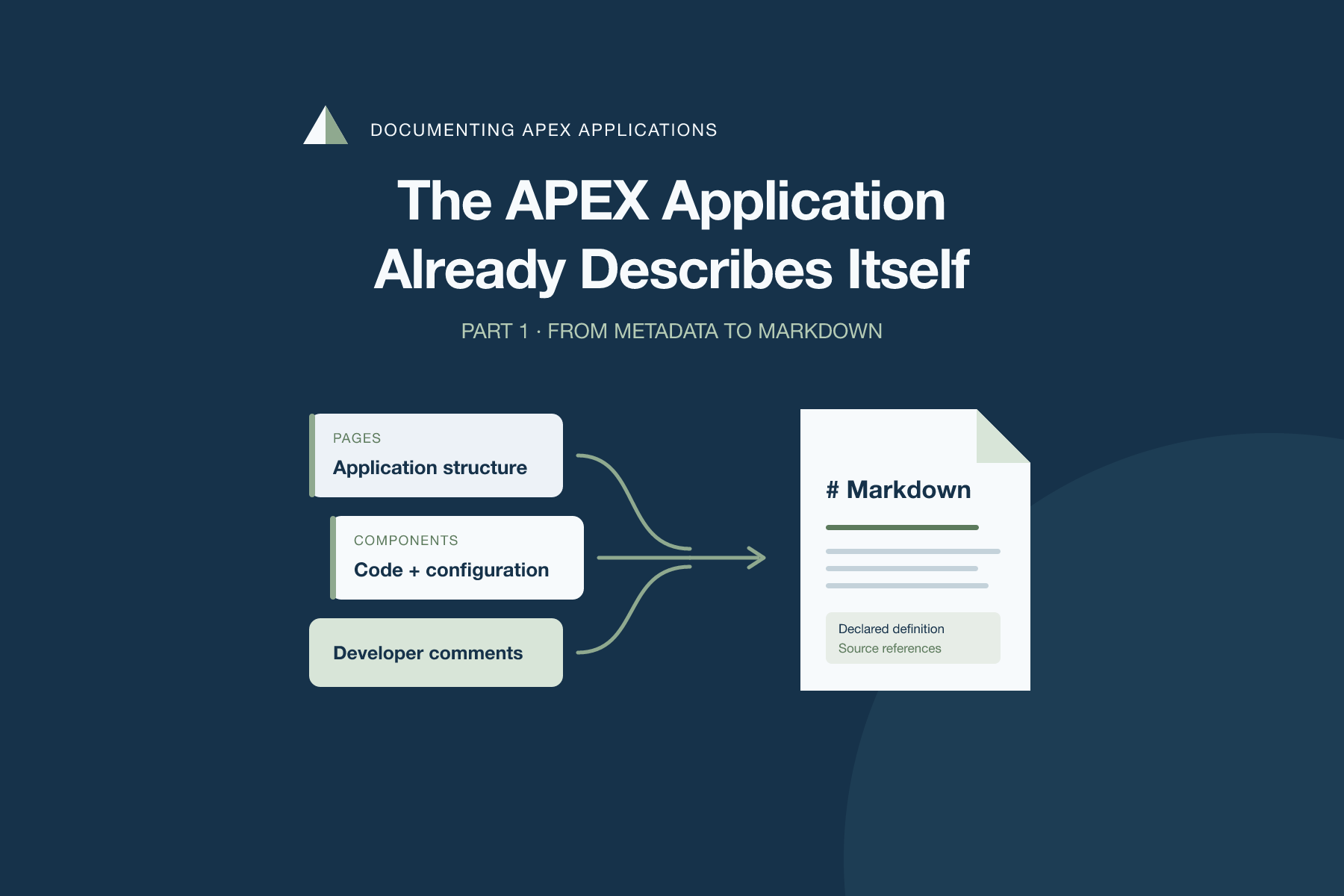
The APEX Application Already Describes Itself
Documenting APEX Applications, Part 1 — From Metadata to Markdown
A page acquires another validation, a button changes its behavior, and a process starts calling a different routine. The application keeps moving. A separate document only reflects those changes if someone remembers to update it.
For this project, I wanted to see how much of that repeated documentation work the application could do for us. APEX already keeps a structured definition of its pages and components. Developer comments live beside those definitions. We can query that information and organize it into something another developer can read.
The result is APEX Application Docs, a small developer tool with a browsable catalog and a Markdown export. This first part uses no AI. It collects the declared definition and keeps a reference to where each piece came from.
Start with what APEX already knows
The Oracle APEX Views utility exposes application metadata through public views. In the Builder, open an application and go to Utilities → Oracle APEX Views. The utility lets you inspect the data and copy its query. APEX_DICTIONARY helps you discover the available views and columns.
A useful first query is quite small:
select page_id,
       page_name,
       page_comment
  from apex_application_pages
 where application_id = :application_id
 order by page_id;
That gives us the beginning of a document: a page inventory and the comments written by its developers. A useful catalog also needs the definitions behind those pages, including conditions and the declared relationships between components.
For v1, I limited the collection to regions, items, buttons, validations, processes, branches, dynamic actions and their actions. Application authorization definitions are included as well. Other shared components and called package bodies remain outside this version.
I consulted the 26.2 documentation, but the environment used for this implementation runs APEX 26.1.6. The selected columns were checked against its installed dictionary. I am keeping that distinction explicit because a documentation reference does not establish runtime compatibility.
A catalog with somewhere to go
The application has a short navigation path. Choose an application in the current workspace, open one of its pages, then open a component in a drawer. Native Interactive Reports provide search and filtering. The drawer shows the component’s properties, developer comment, source representation and provenance.
I used a compact custom hero and composed detail surfaces, with normal APEX components around them. This follows the approach in When APEX Needs a Custom Home Page: use a package function for the surface that needs its own composition, and keep ordinary navigation and reporting declarative.
The page-level source stays small:
return afd_ui.component_detail(
    :P30_APP_ID,
    :P30_PAGE_ID,
    :P30_KEY
);
Those identifiers describe a selection. The server checks that the current user is allowed to use the tool and that the selected application, page and component belong to the permitted workspace context. A checksum on a link does not replace those checks.
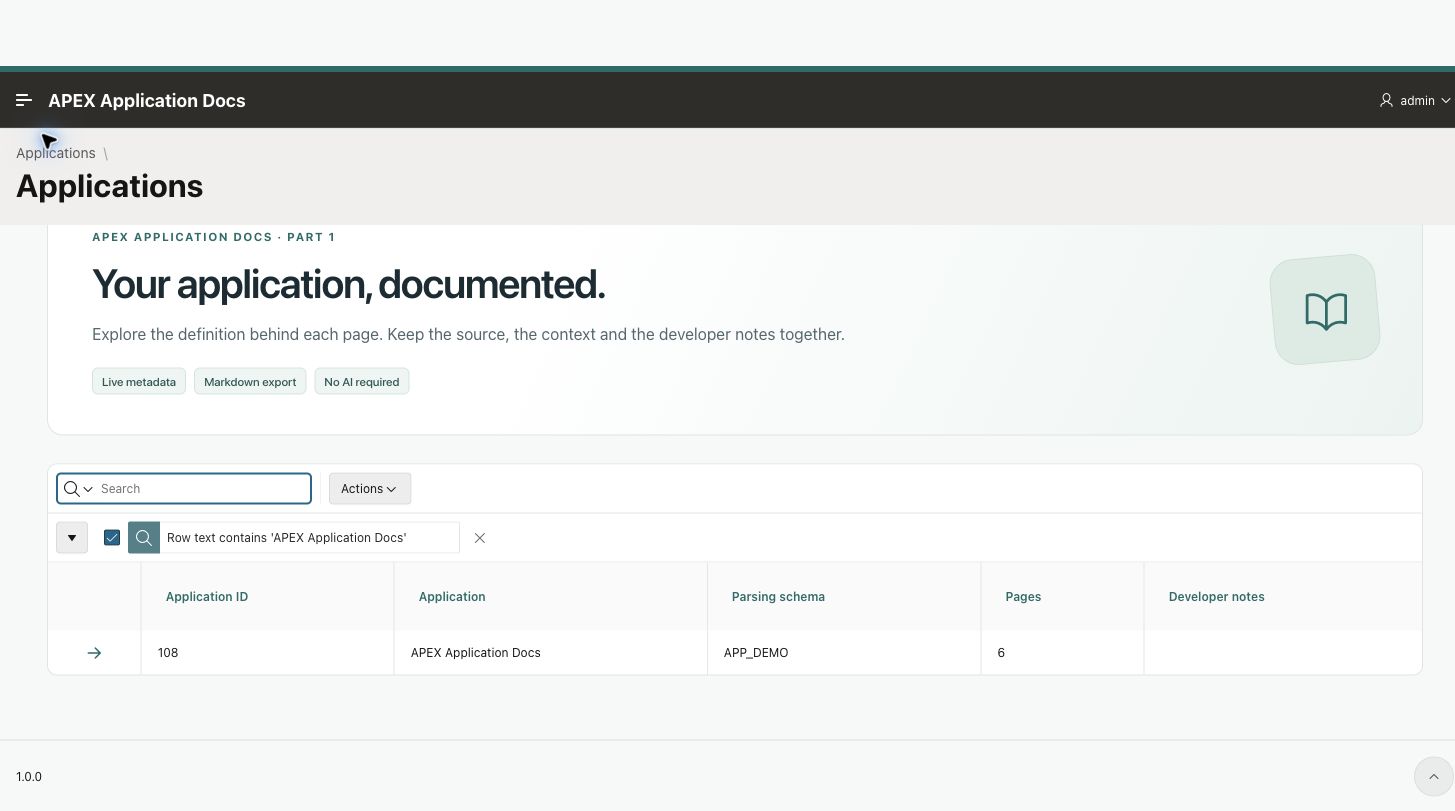
The catalog reads applications visible in the current workspace.
The OCI installation is for my own use. Readers can install their own copy from the repository; there is no public hosted catalog of the workspace’s applications.
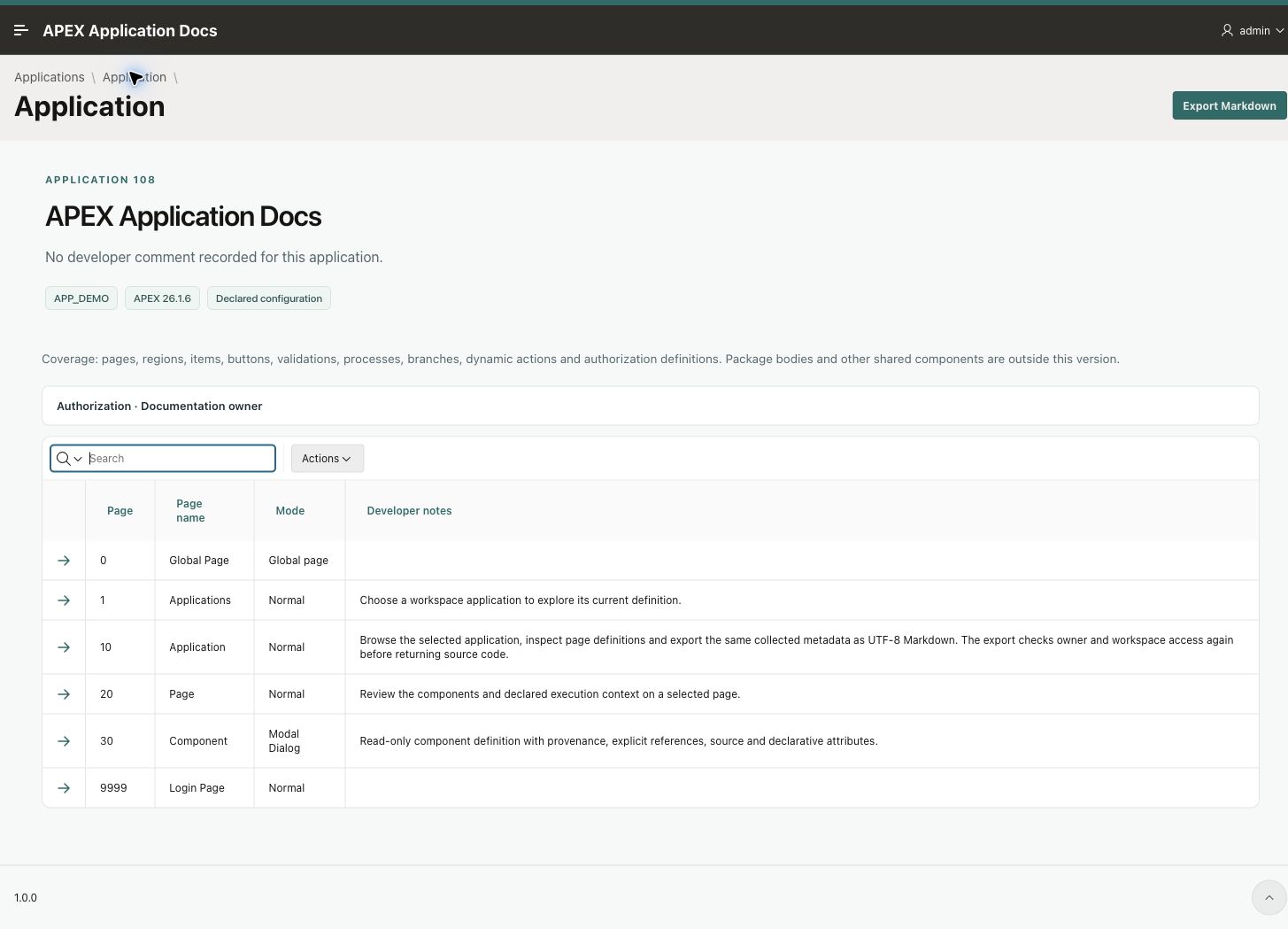
Application information, page definitions and Markdown export share the collected model.
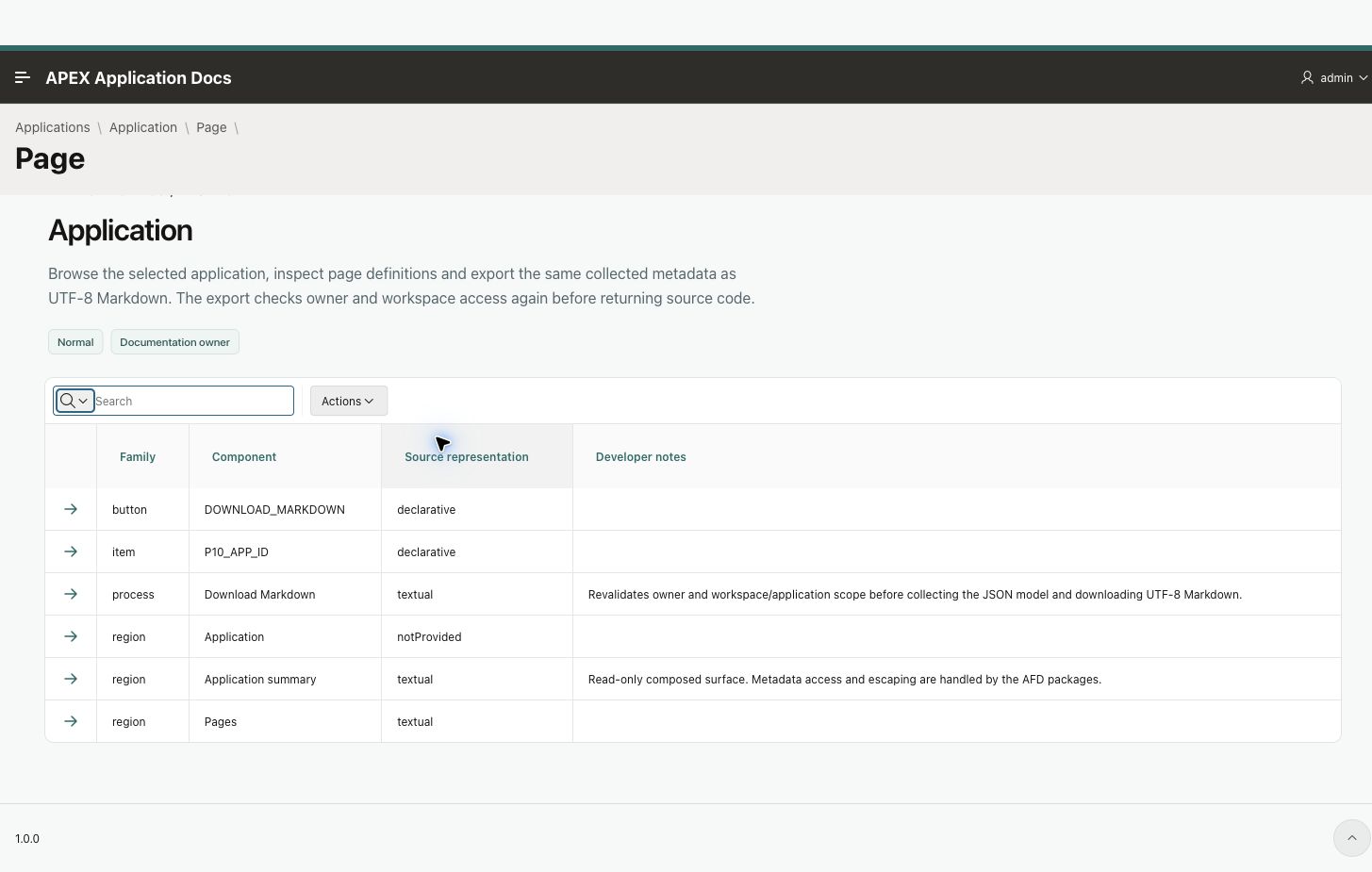
The page catalog distinguishes textual source and declarative configuration.
An empty source column can still describe behavior
One of the useful checks during development was a native Invoke API process. Its PROCESS_SOURCE was empty, but its ATTRIBUTES identified the call:
{
  "type": "PLSQL_PACKAGE",
  "package": "APEX_AUTHENTICATION",
  "package_method": "LOGIN"
}
A collector that only copied PROCESS_SOURCE would leave the reader with an incomplete description. The process has a declarative definition, even though there is no handwritten PL/SQL block in that column.
APEX’s public dictionary changes also matter here: relevant component attributes moved to the JSON ATTRIBUTES representation. Queries copied from older examples need to be checked against the installed version.
The catalog distinguishes textual source, declarative attributes and source that was not provided by the selected extraction fields. It preserves the attributes as structured data rather than trying to invent an equivalent PL/SQL implementation.
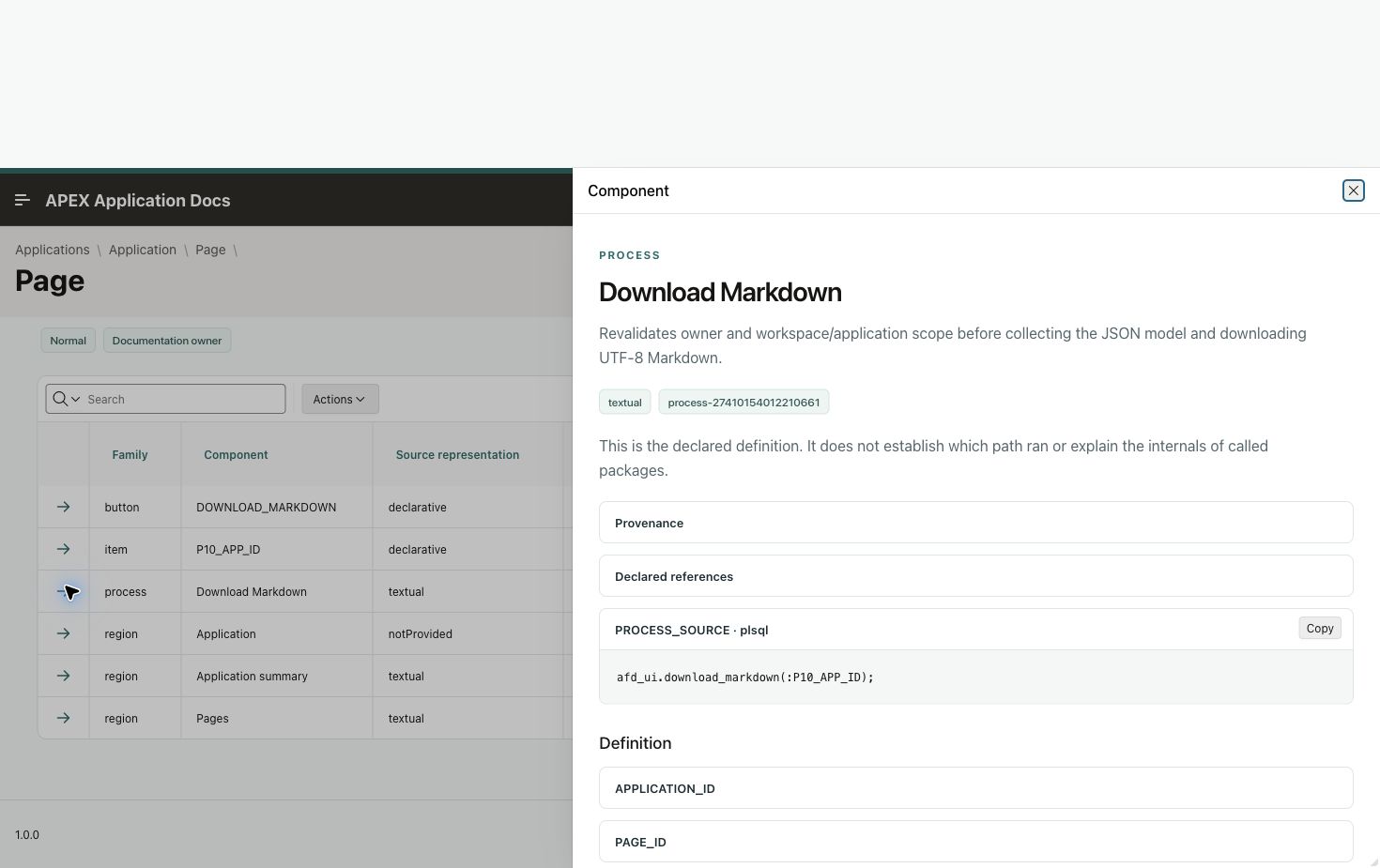
A component keeps its definition and extraction provenance together.
Collect once into a model the outputs can share
I separated collection from presentation. AFD_METADATA produces a JSON document. AFD_MARKDOWN turns that document into Markdown, while the catalog uses the same component model for its reports and detail view.
A component keeps its family, installation-local ID, page, name and static ID when available. It also keeps its comments, properties, source fragments and declared references. Its origin records the public view and identifier column used to collect it.
This gives the export a consistent structure without tying the collector to HTML. It also leaves a useful boundary for the next part of the series: an explanation can refer to the same source and component context that the reader can inspect.
The model does not claim to be a complete dependency graph. A recorded button ID is an explicit reference. A package name inside arbitrary PL/SQL needs a different kind of analysis, and the called package’s behavior cannot be established without its source.
Take the document back to the repository
The application screen provides Export Markdown. The download contains an index, application information, a section for each page, component definitions and an authorization section. It records the APEX version, collector version and collection time.
The renderer accepts the collected JSON document:
l_markdown := afd_markdown.render_document(
    afd_metadata.document(l_application_id)
);
I chose one file per application for this first version. It is easy to download and read in a repository. Splitting a large application into files or automating generation for each release can come later, after using the basic format.
Some export details deserved more care than the first query. Source text can exceed a PL/SQL VARCHAR2, contain accented characters, or include backticks that would close a Markdown code fence. The renderer works with CLOBs and chooses a fence longer than any matching delimiter in the source. The download converts the complete result to UTF-8 and uses APEX_HTTP.DOWNLOAD to return an attachment. The export page submits a full POST so the response can carry a file.
The database suite passed 34 checks, including exact preservation of an in-memory source fixture above 80 KB, embedded fences, Unicode and HTML-like headings. Rendering the same captured model twice produces the same Markdown. A fresh collection has a new timestamp and may, of course, contain changed definitions.
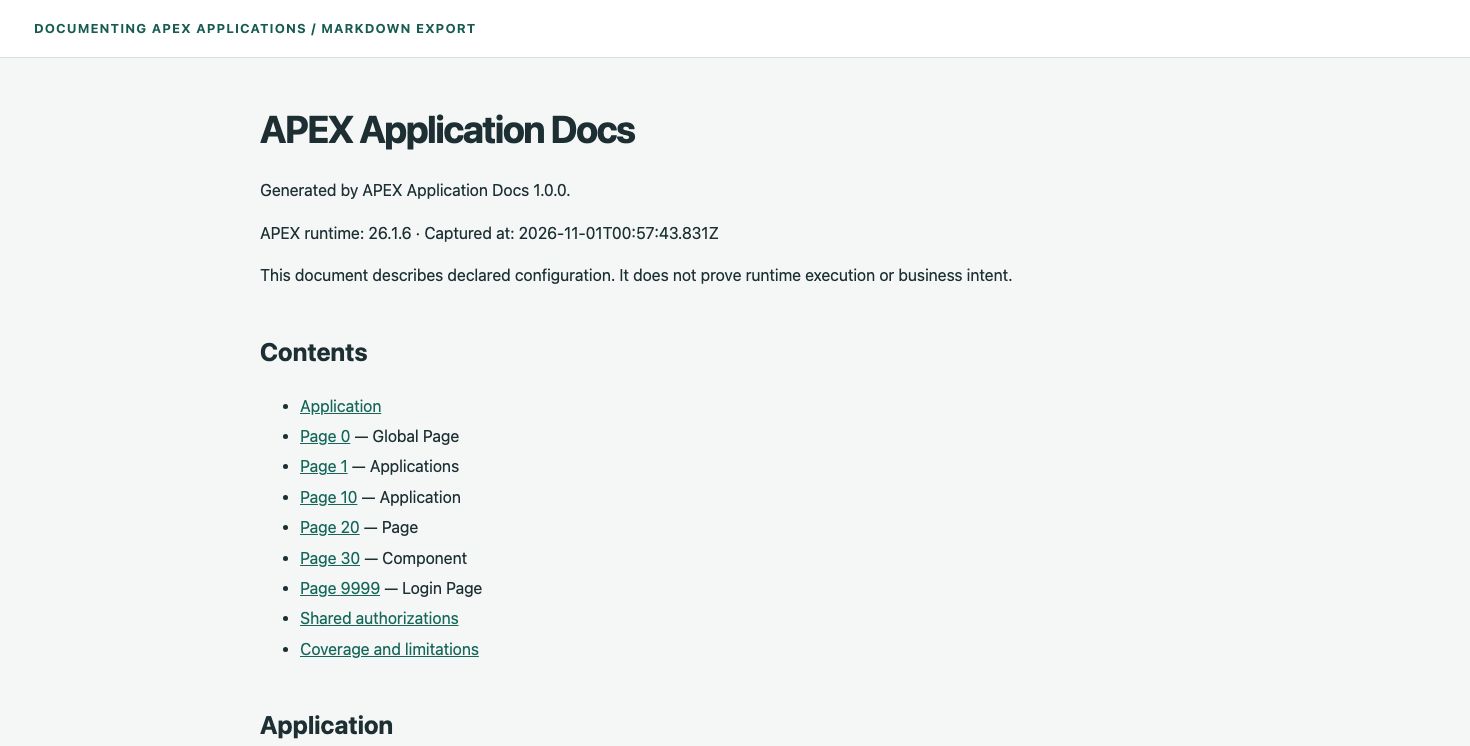
A local rendered preview of the exported Markdown; v1 does not export HTML.
The comment still needs an author
The catalog cannot recover an intention that nobody recorded. A generic process name and an empty developer comment remain generic and empty in the generated document.
That is a useful boundary for this tool. It can remove the work of manually copying a process point, condition or component name into a second place. The developer still needs to explain why a rule exists or why a particular approach was chosen.
I used the catalog’s own application page for a small comparison. Its first comment was “Application documentation and Markdown export.” I changed that comment through APEXLang to describe what the page actually does:
Browse the selected application, inspect page definitions and export the same
collected metadata as UTF-8 Markdown. The export checks owner and workspace
access again before returning source code.
After the checked import, the page catalog and a newly collected Markdown document contained the improved comment. I did not edit a second copy of the explanation in the document. The collected version and the earlier version are retained in the verification material.
Install it in your environment
The GitHub repository contains the APEXLang source, supporting packages and installation instructions. Install the packages in your parsing schema, configure the allowed APEX account, set your deployment values, then validate and import the application through SQLcl.
The collector uses public views and does not need an administrative account at runtime. It does not execute the SQL or PL/SQL it displays. Its HTML output escapes metadata values, and the Markdown export can contain application source, so I treat an exported document as source material when deciding where to share it.
The repository records compilation, database tests and browser acceptance separately. That distinction matters: a successful APEXLang check establishes that the definition compiles; it does not establish that every screen interaction has been tested.
What the next part will add
In Part 2, I want to use the collected context to explain a bounded page action, attach references to the explanation and let a developer review it. A later change to the analyzed source or conditions should make it clear that the explanation needs another look.
Exporting APEXLang and asking ChatGPT remains a reasonable option for a one-off question. The next part needs to earn its place by keeping the explanation connected to its source and review state. This first version supplies the documentation model and the Markdown output that work independently of that future addition.