The Code Changed. Did the Documentation?
Documenting APEX Applications, Part 2 — Keeping Explanations Connected to Their Source
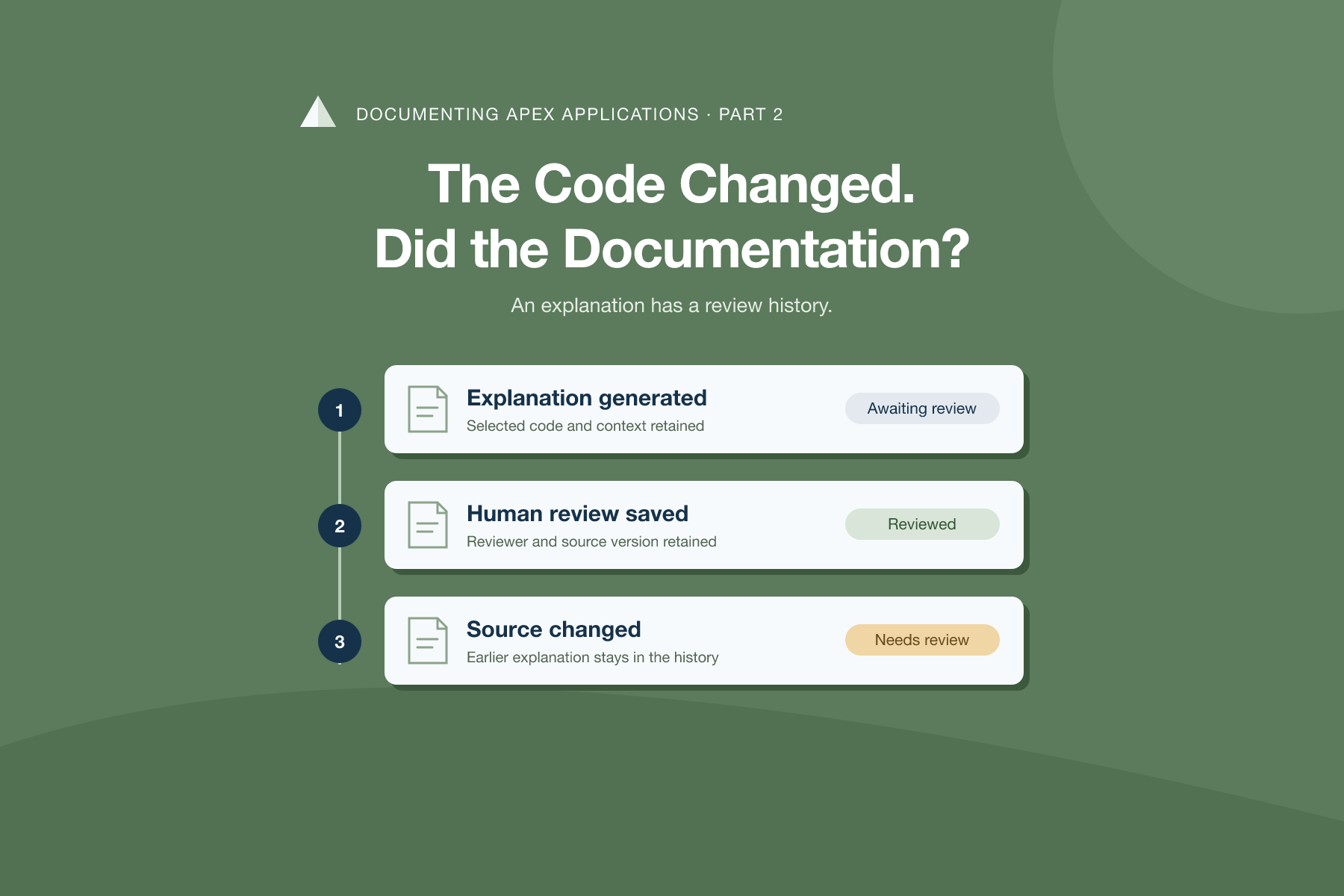
An AI explanation can still sound convincing after the code it describes has changed. I wanted the application documentation to retain who reviewed that explanation, the material they reviewed it against, and an indication of whether that material still matches today. That gives the next maintainer something to check before relying on the text.
In Part 1, I built a catalog that extracts an APEX application's definition into Markdown. I used it here to follow one explanation through generation, human review and a source change. The catalog is the implementation; the same approach can apply wherever a team keeps AI explanations beside its code.
The test used the catalog's own Export Markdown button. A comment change elsewhere in the application left its review current. A comment change in the selected export process requested another review and kept the earlier text available.
Documenting APEX Applications
- Part 1: The APEX Application Already Describes Itself
- Part 2: The Code Changed. Did the Documentation? (current)
On this page
Choose the action to explain
On page 10, Export Markdown downloads the selected application's documentation. I wanted an explanation of the code and APEX configuration behind that download, with enough source available to check the answer.
I opened the button's definition in the catalog and chose Explain submit action. Its associated process contains this call:
afd_ui.download_markdown(:P10_APP_ID);
The call tells us which routine receives the application ID. To see what that routine does, I also selected the AFD_UI package body for the explanation. The catalog gathers the button and its explicitly associated components; the package body is an additional, deliberate selection.
That selection sets the reach of the explanation. Other package bodies called by AFD_UI are not collected automatically, so their internals remain outside this example.
Check what the model will receive
Before generating anything, I chose Preview context. Here, context means the definitions and code we are giving the model to read. The preview lets me inspect that material and confirm which AI service will receive it.
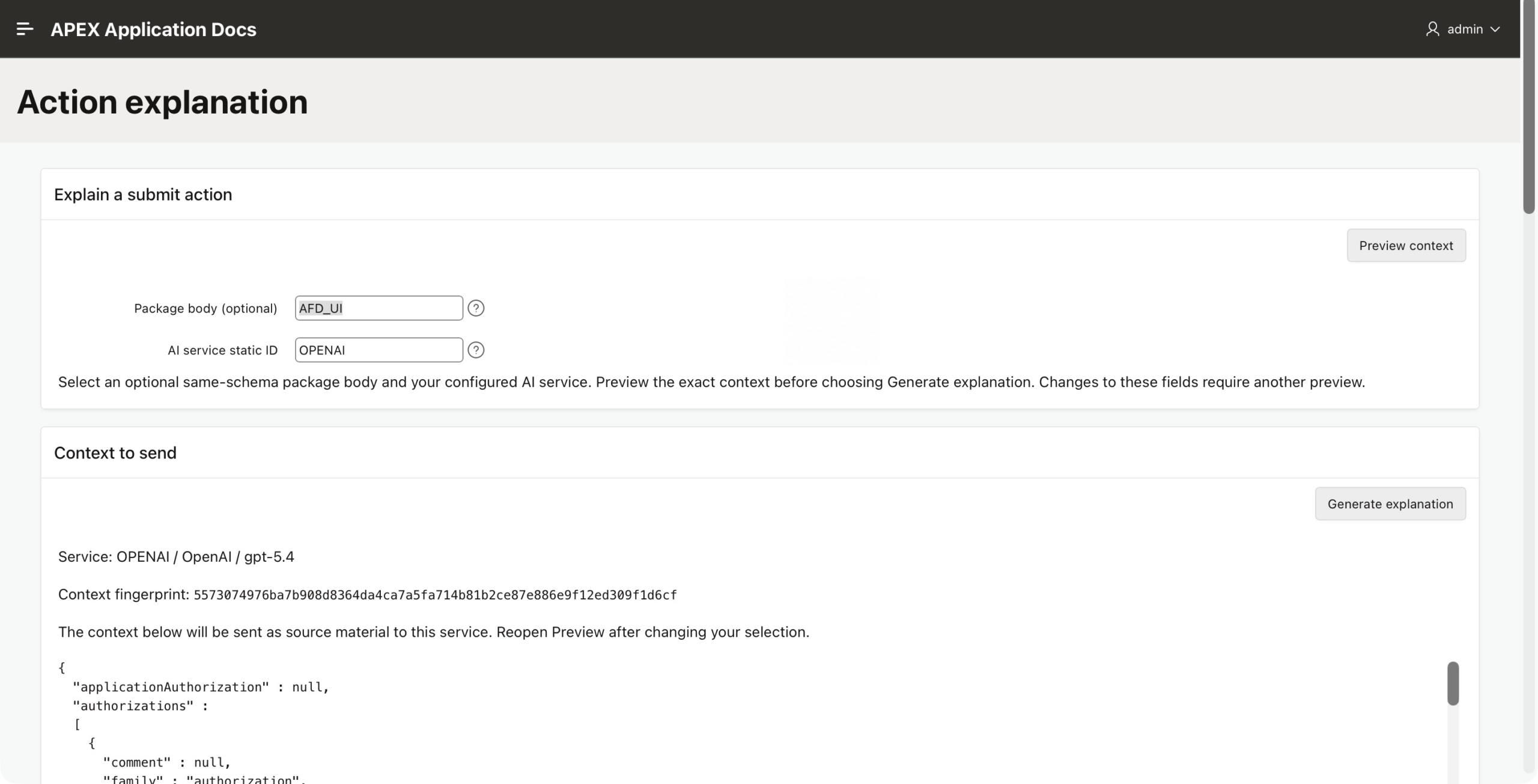
Browsing and previewing do not call the AI service. I chose Generate explanation to send the selected material through APEX_AI.GENERATE. This demo used the configured OPENAI service with gpt-5.4, on APEX 26.1.6; credentials stay in APEX.
The model reads the supplied source to explain it. It does not execute that code or observe a button click, so its answer describes the configuration and selected source rather than a recorded execution.
Read the answer and make a review
The generated answer connected the button to the download process and described how the code prepares a UTF-8 attachment. It also pointed out that some called package bodies were missing from the material it received.
I checked the answer against the source before saving a reviewed version. One correction was straightforward: its Inputs section included the authorization scheme. I moved that into the access checks, because an authorization rule is not an input supplied by the user.
Another detail needed more care. The process is configured before computations and validations, even though the button enables validations. I made the reviewed text explicit: that button setting does not establish that validations completed before the download.
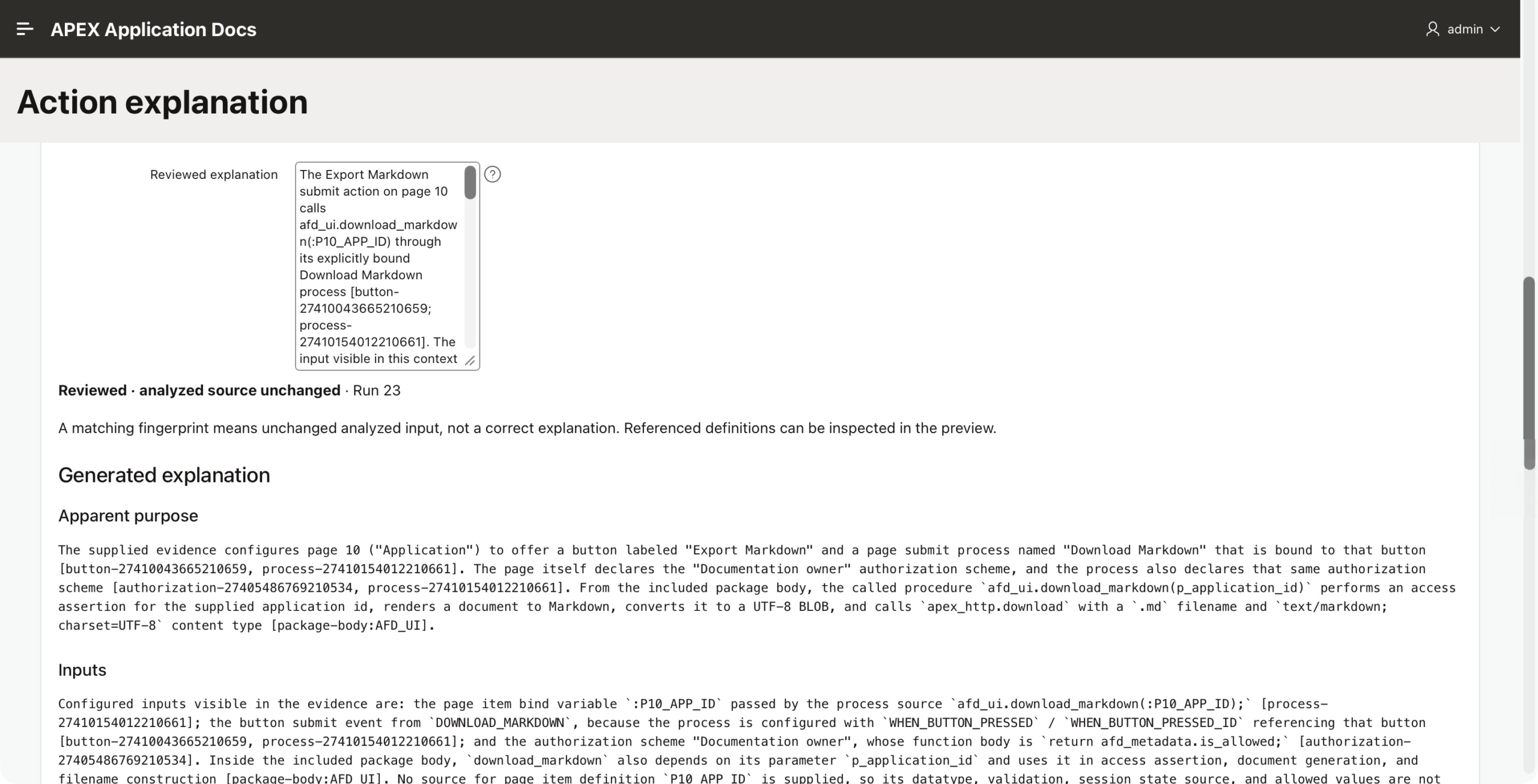
Saving a review records its own text, author and timestamp. It preserves the model's answer too, so someone returning later can see what was generated and what the reviewer accepted.
There are separate questions here: what did the model generate, what did a person review, and does the analyzed material still match? An explanation can have a human review and later need another one because its source changed. With the first review saved, I could test that distinction.
Change a comment and watch the status
First, I updated a developer comment on the catalog page. That page was outside the material selected for this export explanation. After the checked APEXLang import, the review still showed that its analyzed source was unchanged.
Then I updated the selected export process's comment to clarify the timing issue from the review. The new comment says that the process is configured before computations and validations, and that the button's validation flag does not establish otherwise. I changed only comments in these tests; the executable processing code stayed the same.
This time, the earlier explanation showed Needs review.
| Change made | Did the analyzed material change? | Result |
|---|---|---|
| Comment on the catalog page | No | Review remained current |
| Comment on the selected export process | Yes | Earlier explanation needed review |
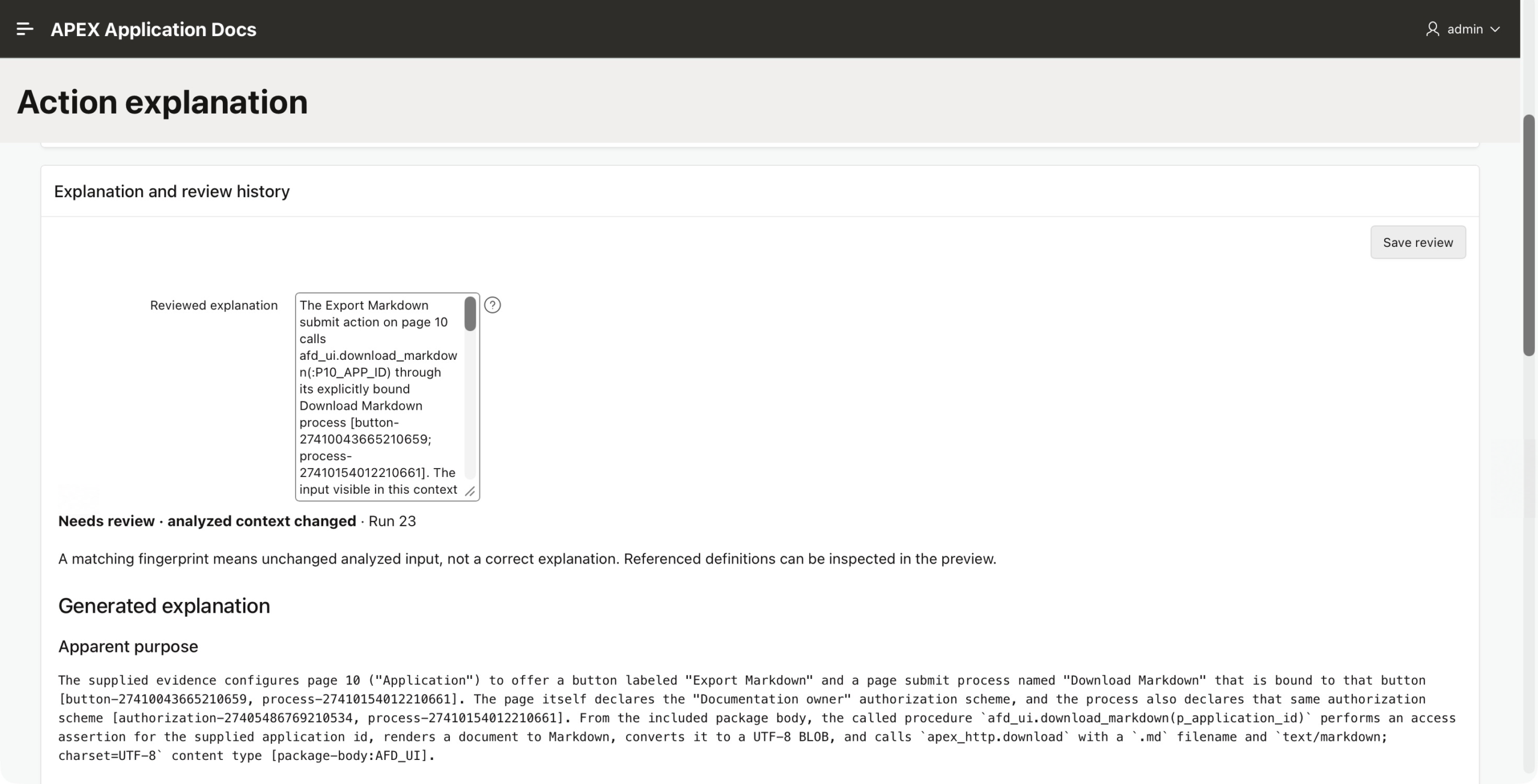
The application detects this by comparing a fingerprint, a signature calculated from the selected material, with the one stored for the explanation. Comments count because the model reads them too. Collection timestamps and unrelated components do not affect that comparison.
This is the same input-comparison idea used in cache invalidation. Here, it connects a change in the selected material to a request for human review while retaining the earlier explanation.
A changed fingerprint asks someone to look again; it does not mean every sentence is wrong. Likewise, a matching fingerprint says the input is unchanged, without certifying the explanation's accuracy. Because I selected the whole AFD_UI body, a change anywhere in that body would also request review.
Generate again, then review again
I prepared a fresh preview and generated another answer using the updated material. This answer explicitly mentioned the comment's warning about validation timing.
The new answer started as awaiting human review. The application kept the previous response and review in the history instead of transferring the earlier approval.
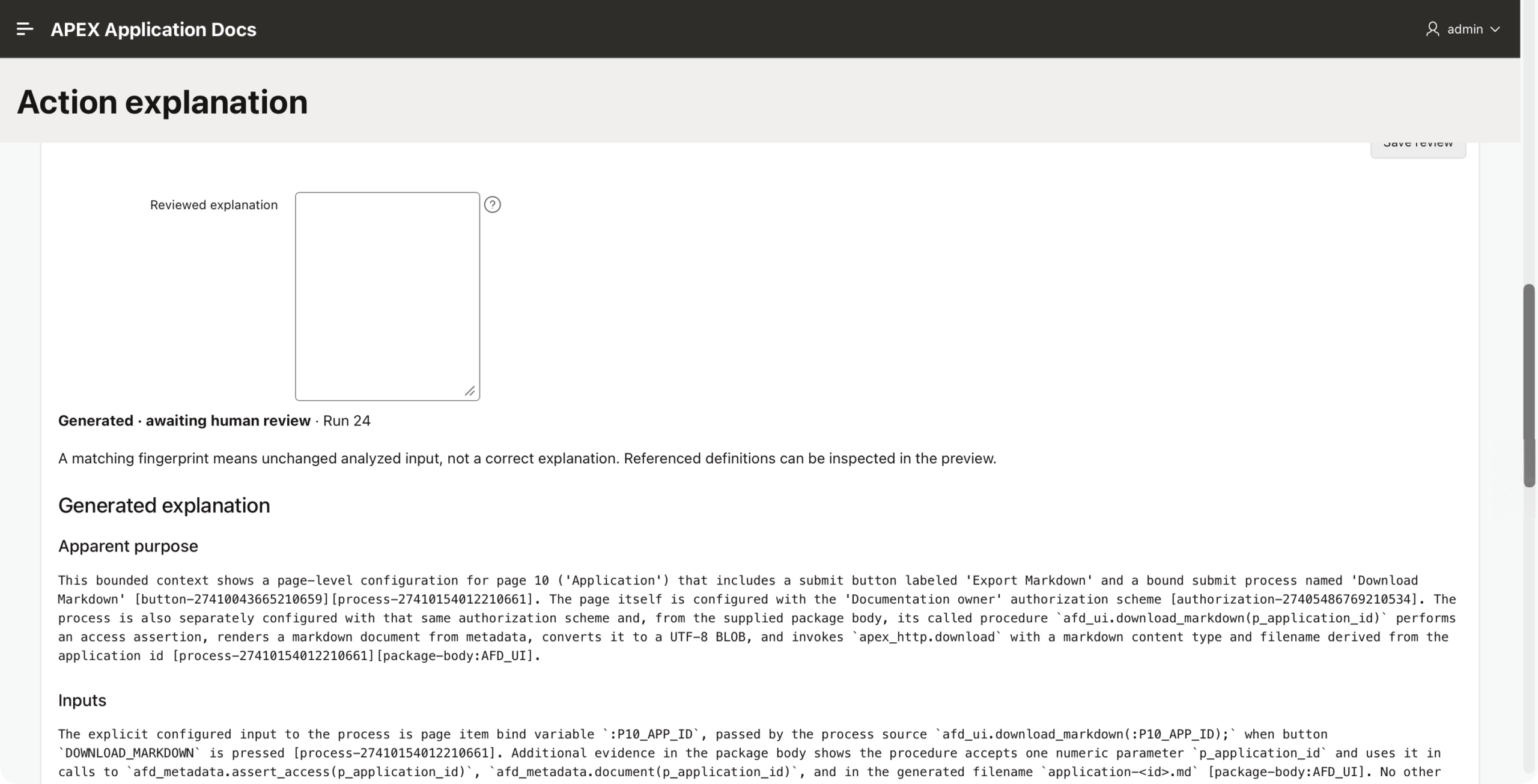
After checking the new answer against the updated source, I approved the same reviewed wording for this new context. That created a new review and restored the current status for the new answer. The earlier explanation still records that its source has changed.
Apply the same idea to an approval process
As a hypothetical example, consider an APEX action that approves an order. A reviewer accepts an explanation saying that orders above a certain value require a manager. Later, the approval limit changes. If the rule is part of the selected material, its fingerprint changes and the explanation needs another look. A comment change on an unrelated page would leave that selection unchanged.
I did not implement that business scenario in this demo. It illustrates why the selection matters: a rule hidden in a package body we never collected cannot trigger this comparison. The export test demonstrates the mechanism on source we can inspect.
Use the code in your own application
The implementation is available in apex-application-docs on GitHub. The installation guide covers the catalog and extension; the explanation workflow guide describes selection and review behavior.
This is the actual fingerprint function from AFD_EXPLAIN:
function fingerprint(p_context clob) return varchar2 is
    text_value clob:=canonical_json(p_context);
    digest varchar2(64):=rpad('0',64,'0');
    chunk varchar2(2100);
    pos pls_integer:=1;
begin
    -- Versioned SHA-256 hash chain, not SHA-256 of the whole CLOB.
    -- Fixed character chunks preserve Unicode without VARCHAR2 truncation.
    while pos<=dbms_lob.getlength(text_value) loop
        chunk:=digest || dbms_lob.substr(text_value,500,pos);
        select lower(rawtohex(standard_hash(chunk,'SHA256'))) into digest from dual;
        pos:=pos+500;
    end loop;
    return digest;
end;
canonical_json, defined in the same package, sorts JSON object keys while preserving array order. The function uses a versioned SHA-256 chain over 500-character blocks to handle a Unicode CLOB. It is not a conventional SHA-256 digest of the whole CLOB. The context records the algorithm as sha256-chain-500chars-v1.
The storage script separates the evidence from the text:
| Table | What it retains |
|---|---|
AFD_EXPLAIN_PREVIEWS |
Selected context, its hash, service and creator |
AFD_EXPLAIN_RUNS |
Generated answer linked to its preview, with prompt version, author and time |
AFD_EXPLAIN_REVIEWS |
Human review linked to a run, with reviewer and time |
When the explanation is reopened or exported, the package collects the current selection and compares its hash with the stored one. The resulting state is calculated, rather than a permanent approval flag. Component identities are local to the installation; global-page behavior and client-side actions remain outside this selection.
Take the explanation with the documentation
Finally, Export with explanations downloaded the application definition with an appendix containing the generated answers, human reviews and their current states. The original Export Markdown action still produces the definition on its own.
That appendix gives the next reader the explanation together with an indication of whether its source still matches. It contains selected application source as well as prose, so I handle it with the same care as a source export.
I would consider this workflow for teams that hand applications to new maintainers, consultancies delivering systems to clients, or environments where reviewers need to trace an explanation back to its source. For a one-off question, exporting APEXLang and asking ChatGPT can still be enough. When the answer becomes documentation people will return to, I want them to see who reviewed it, what they reviewed, and whether that material has changed. Those records support a later review; they do not establish that the explanation is correct or replace an audit of the application itself.