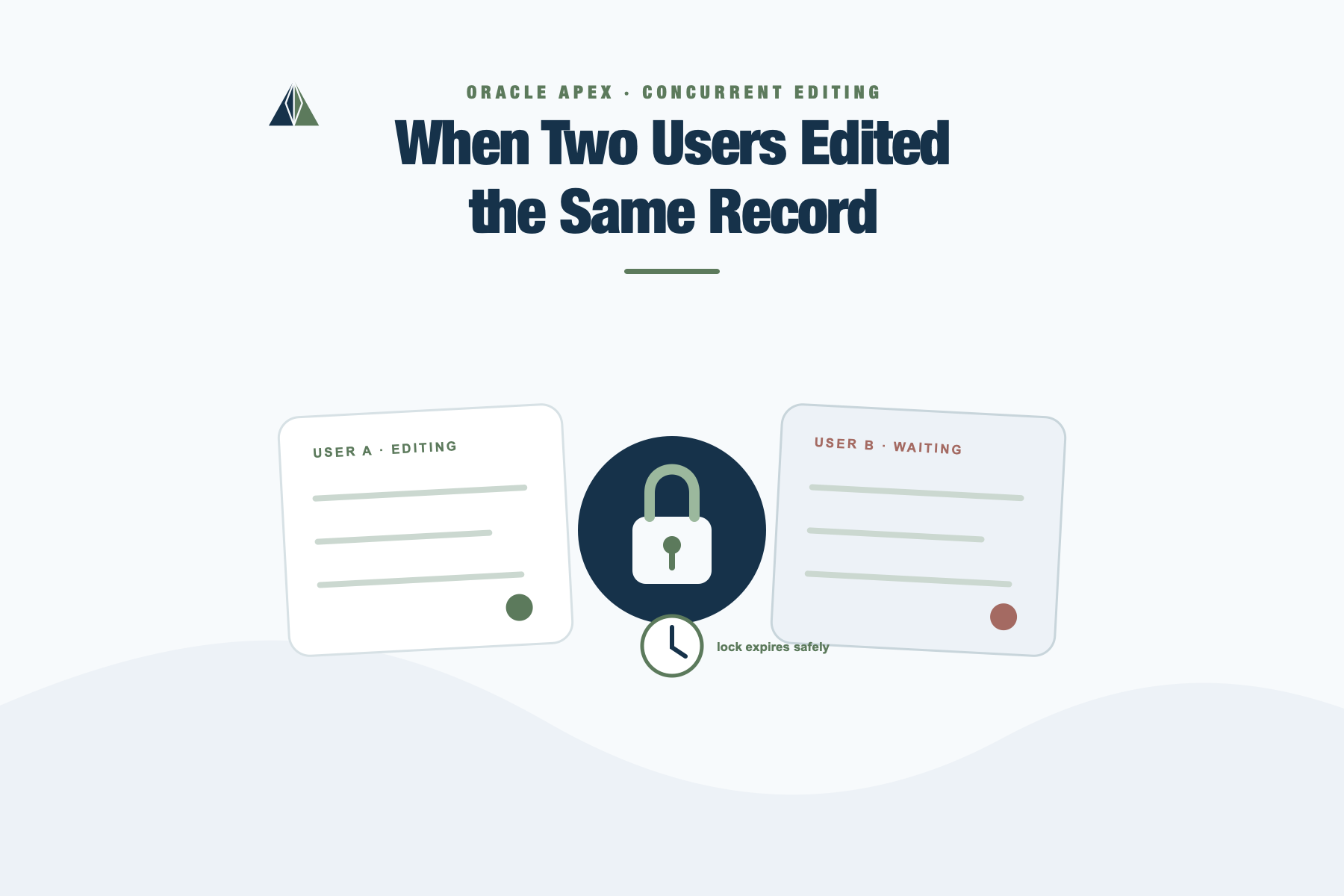
When Two Users Edited the Same Record
By Dênio Flávio Garcia da Silva
There are certain problems in enterprise applications that only show up after a system has been in production for a while. They don’t appear during development, they don’t fail loudly, and they don’t generate stack traces. They just quietly corrupt user expectations.
One of those problems is concurrent editing.
For a long time, we had a simple editing screen in an APEX application. A user would open a record, change some values, and press Save. Nothing fancy. It worked. Or at least it seemed to.
Until one day someone asked a very uncomfortable question:
“What happens if two users open the same record at the same time?”
The honest answer was: nothing prevents it.
If User A opens the record and User B opens it a few seconds later, both will see the same data. Both can edit it. And whoever clicks Save last wins.
No warning. No visibility. No indication that someone else was already working on it.
This is one of those requirements that doesn’t come from technical curiosity. It comes from operational frustration. It usually appears after someone loses changes, or after data inconsistencies start surfacing in reports.
The requirement was straightforward:
- When a user starts editing a record, it should be “reserved” for that user.
- If another user tries to edit the same record, they should be warned.
- If the original user leaves the page or becomes inactive, the lock should eventually expire.
- The experience should be smooth, no forced page refreshes, no clunky full submits.
And that last point is where things get interesting.
Why This Is Not Just a Submit Problem
At first glance, someone might suggest: “Just check for conflicts on submit.”
But that only tells you there’s a conflict at the very end of the process. The user may have already spent ten minutes editing.
The goal here wasn’t to detect a conflict after the fact. The goal was to prevent parallel editing in real time.
That means:
- The page must talk to the database without submitting.
- The UI must react immediately.
- The state must be renewed periodically.
- And everything must happen without interrupting the user.
That’s exactly where an Ajax Callback becomes the natural tool.
Not because it’s trendy, but because it’s the correct execution layer for this kind of interaction.
Designing a Lightweight Edit Lease Mechanism
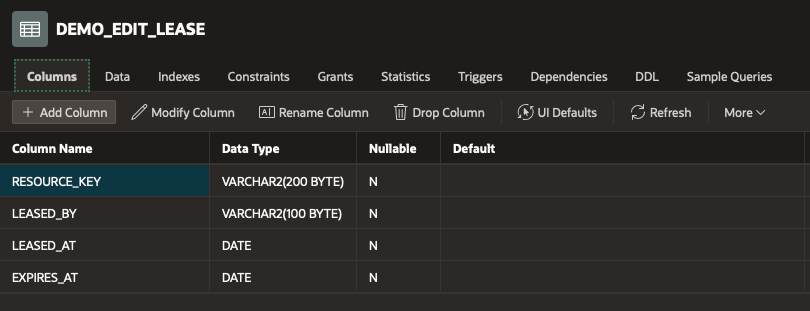
Instead of using database row-level locks (which don’t survive HTTP requests), we designed a simple lease table.
It stores:
- What resource is being edited
- Who is editing it
- When the lease expires
Table demo_edit_lease structure
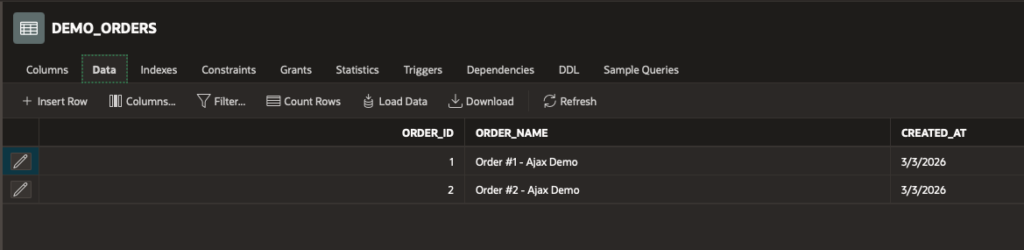
We also created a simple table to simulate records being edited:
demo_orders with sample rows
The idea is simple:
- When the page loads, we attempt to acquire a lease.
- If no lease exists (or it has expired), we insert one.
- If a lease already exists and belongs to someone else, we inform the user.
- While the user is editing, we periodically renew the lease in the background.
- If renewal fails, we disable editing.
All of this happens without a single page submit.
Ajax Callback #1: Try to Acquire the Lease
On page load, we call an Ajax process that attempts to reserve the record.
This process:
- Deletes expired leases.
- Attempts to insert a new lease.
- If insertion fails, checks who currently owns it.
- Returns a JSON payload describing the result.
This is important: we return structured JSON, not just “Y/N”. That makes the client logic cleaner and extensible.
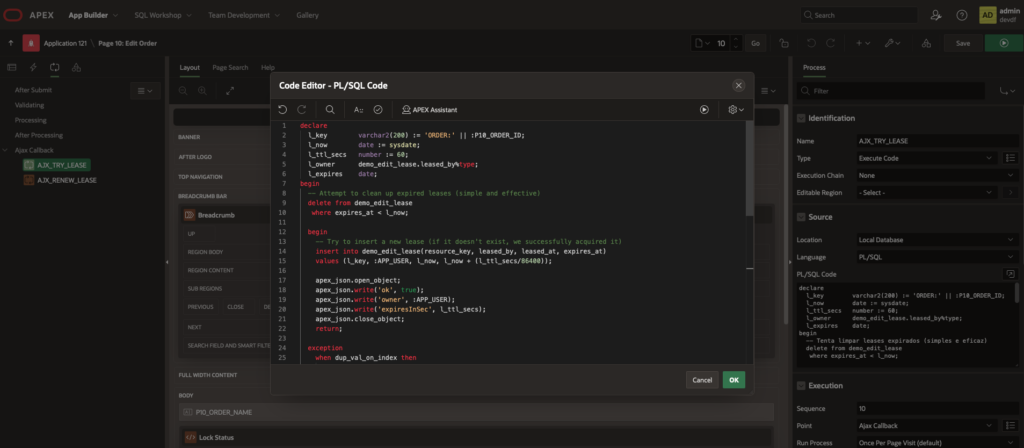
Ajax Callback AJX_TRY_LEASE
Explain briefly:
dup_val_on_indexmeans someone else already inserted the lease.apex_json.write()builds a structured response.- We are separating rule (server) from UI reaction (client).
Here is the full code:
declare
  l_key        varchar2(200) := 'ORDER:' || :P10_ORDER_ID;
  l_now        date := sysdate;
  l_ttl_secs   number := 60;
  l_owner      demo_edit_lease.leased_by%type;
  l_expires    date;
begin
  -- Attempt to clean up expired leases (simple and effective)
  delete from demo_edit_lease
   where expires_at < l_now;

  begin
    -- Try to insert a new lease (if it doesn't exist, we successfully acquired it)
    insert into demo_edit_lease(resource_key, leased_by, leased_at, expires_at)
    values (l_key, :APP_USER, l_now, l_now + (l_ttl_secs/86400));

    apex_json.open_object;
    apex_json.write('ok', true);
    apex_json.write('owner', :APP_USER);
    apex_json.write('expiresInSec', l_ttl_secs);
    apex_json.close_object;
    return;

  exception
    when dup_val_on_index then
      null;
  end;

  -- A lease already exists, fetch the current owner and expiration
  select leased_by, expires_at
    into l_owner, l_expires
    from demo_edit_lease
   where resource_key = l_key;

  apex_json.open_object;
  apex_json.write('ok', l_owner = :APP_USER); -- If it's the same user, allow editing
  apex_json.write('owner', l_owner);
  apex_json.write('expiresAt', to_char(l_expires, 'YYYY-MM-DD"T"HH24:MI:SS'));
  apex_json.close_object;
end;Ajax Callback #2: Lease Renewal (Heartbeat)
Acquiring the lease once is not enough. If the user leaves the tab open, the lock would last forever.
So we introduce a lease expiration time (for example, 60 seconds), and we renew it periodically via a second Ajax Callback.
Ajax Callback AJX_RENEW_LEASE
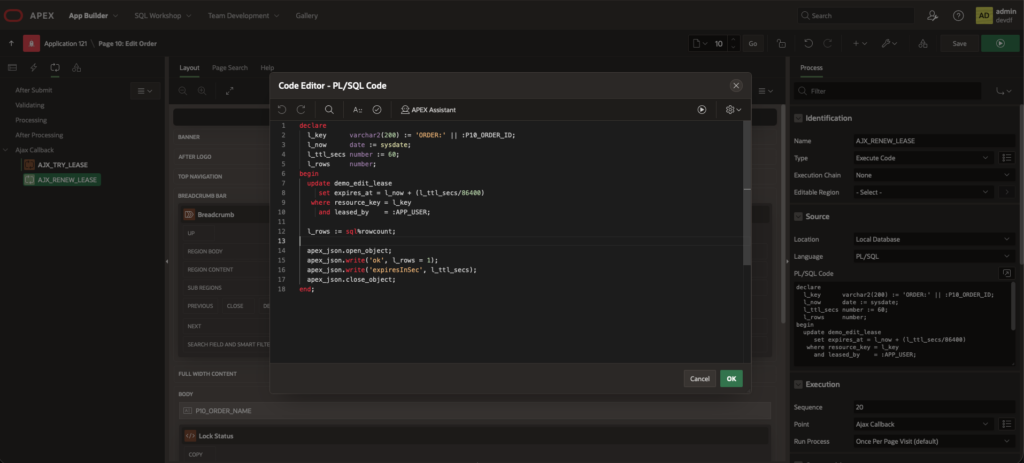
This process simply updates expires_at for the current user.
If the update fails (no rows affected), the client knows the lease is no longer valid.
The code:
declare
  l_key      varchar2(200) := 'ORDER:' || :P10_ORDER_ID;
  l_now      date := sysdate;
  l_ttl_secs number := 60;
  l_rows     number;
begin
  update demo_edit_lease
     set expires_at = l_now + (l_ttl_secs/86400)
   where resource_key = l_key
     and leased_by    = :APP_USER;

  l_rows := sql%rowcount;

  apex_json.open_object;
  apex_json.write('ok', l_rows = 1);
  apex_json.write('expiresInSec', l_ttl_secs);
  apex_json.close_object;
end;The Client Side: Where the UI Reacts
Now comes the part that makes this feel modern instead of procedural.
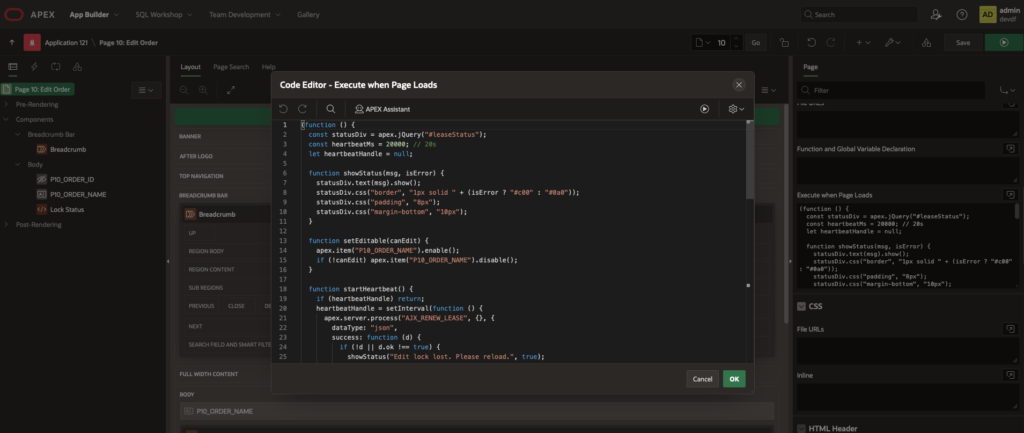
In “Execute when Page Loads”, we call the lease acquisition callback.
If the response says ok = true, we:
- Display a message like “You are editing this record.”
- Enable form fields.
- Start a heartbeat timer (
setInterval) that calls the renewal process every 20 seconds.
If the response says ok = false, we:
- Show who currently holds the lock.
- Disable the editable fields.
JavaScript in Execute when Page Loads
(function () {
  const statusDiv = apex.jQuery("#leaseStatus");
  const heartbeatMs = 20000; // 20s
  let heartbeatHandle = null;

  function showStatus(msg, isError) {
    statusDiv.text(msg).show();
    statusDiv.css("border", "1px solid " + (isError ? "#c00" : "#0a0"));
    statusDiv.css("padding", "8px");
    statusDiv.css("margin-bottom", "10px");
  }

  function setEditable(canEdit) {
    apex.item("P10_ORDER_NAME").enable();
    if (!canEdit) apex.item("P10_ORDER_NAME").disable();
  }

  function startHeartbeat() {
    if (heartbeatHandle) return;
    heartbeatHandle = setInterval(function () {
      apex.server.process("AJX_RENEW_LEASE", {}, {
        dataType: "json",
        success: function (d) {
          if (!d || d.ok !== true) {
            showStatus("Edit lock lost. Please reload.", true);
            setEditable(false);
            clearInterval(heartbeatHandle);
            heartbeatHandle = null;
          }
        }
      });
    }, heartbeatMs);
  }

  // Acquire lease on load
  apex.server.process("AJX_TRY_LEASE", {}, {
    dataType: "json",
    success: function (d) {
      if (d && d.ok === true) {
        showStatus("You are editing this record (lock acquired).", false);
        setEditable(true);
        startHeartbeat();
      } else {
        showStatus("This record is being edited by: " + (d && d.owner ? d.owner : "another user"), true);
        setEditable(false);
      }
    },
    error: function () {
      showStatus("Failed to check edit lock.", true);
      setEditable(false);
    }
  });
})();This is where the separation of concerns becomes clear:
- The database decides who owns the lease.
- The Ajax Callback exposes that decision.
- JavaScript adjusts the UI.
No submit. No refresh. No redirect.
Watching It Happen: Developer Tools
One of the most valuable habits when working with Ajax in APEX is using the browser’s Developer Tools.
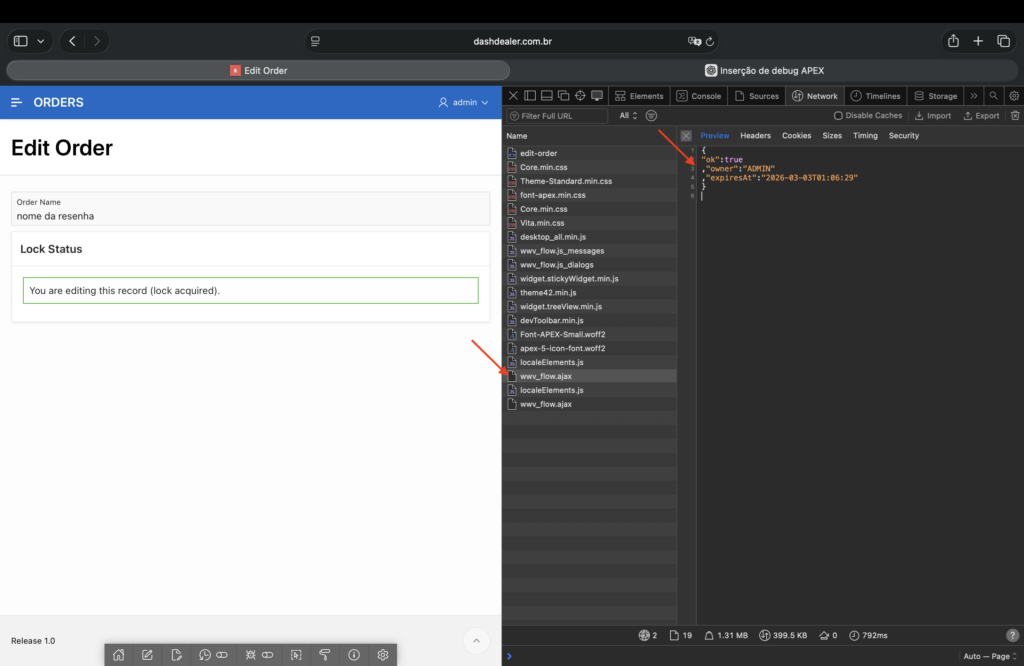
Open Chrome DevTools (F12), go to the Network tab, and filter by XHR or Fetch.
When the page loads, you will see the request to AJX_TRY_LEASE.
Browser Developer Tools (Network tab)
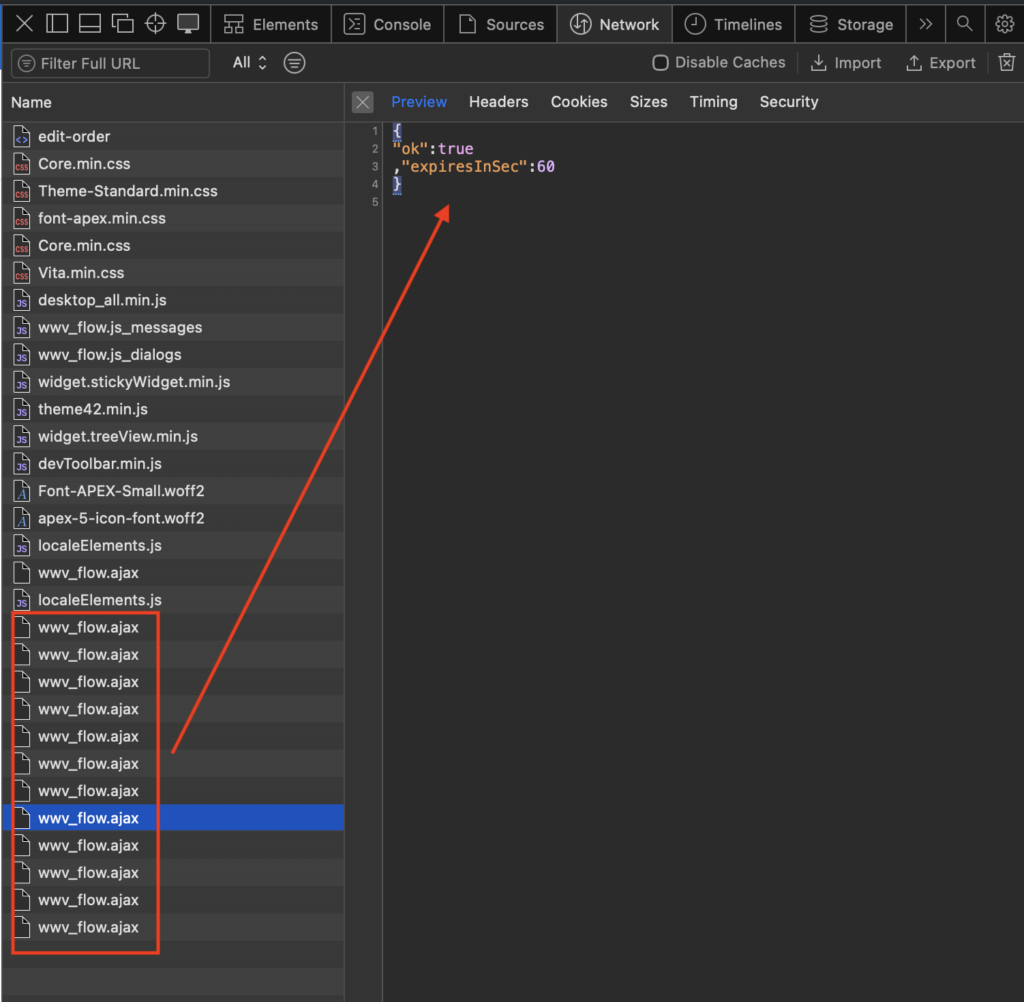
Then wait for the heartbeat interval to trigger.
You will see periodic calls to AJX_RENEW_LEASE.
Network tab showing repeated renewal calls
This is extremely useful during development because:
- You can inspect the JSON returned by the server.
- You can simulate failures.
- You can verify timing behavior.
- You can detect silent errors that don’t surface in the UI.
For intermediate developers, this is often the missing piece. Ajax is not magic. It’s just HTTP requests you can see and inspect.
Simulating Two Users
To demonstrate the behavior clearly, we’re gonna open the page in two different browsers (or one normal window and one incognito session with another user).
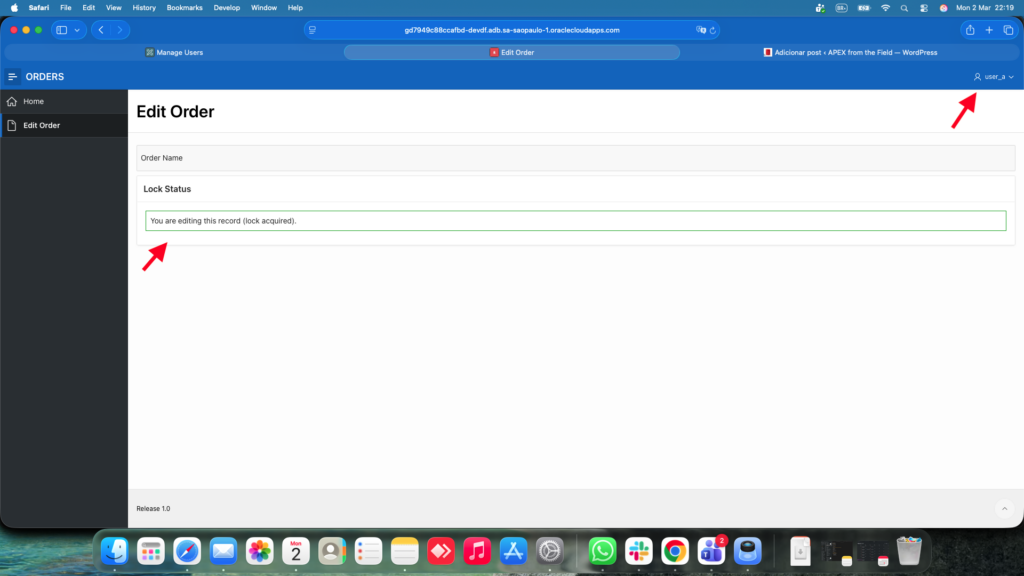
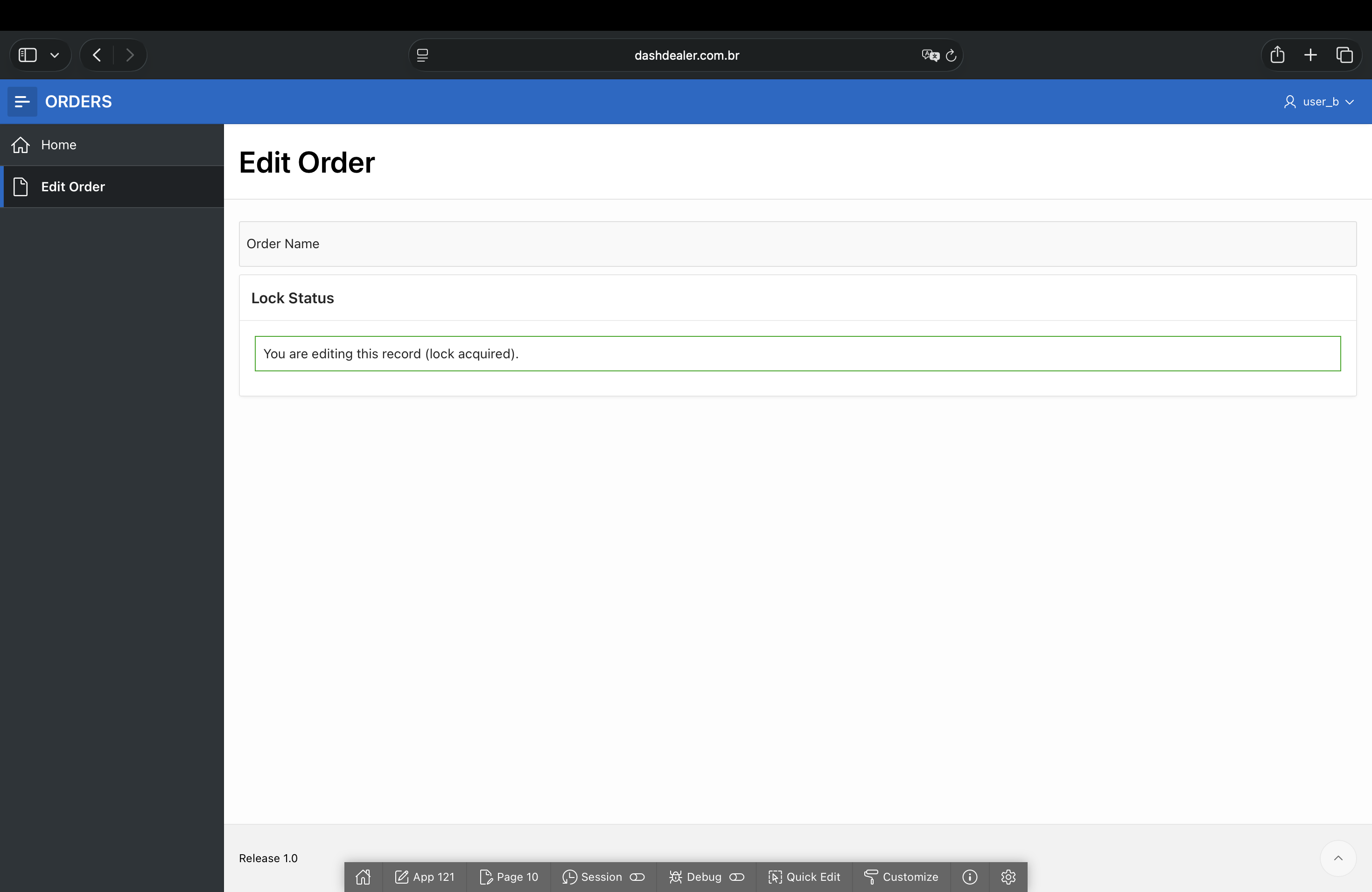
User A opens the record first. The lease is acquired.
User A screen showing “You are editing this record” (click the image to zoom in)
User B opens the same record shortly after.
User B screen showing “This record is being edited by X” and disabled fields
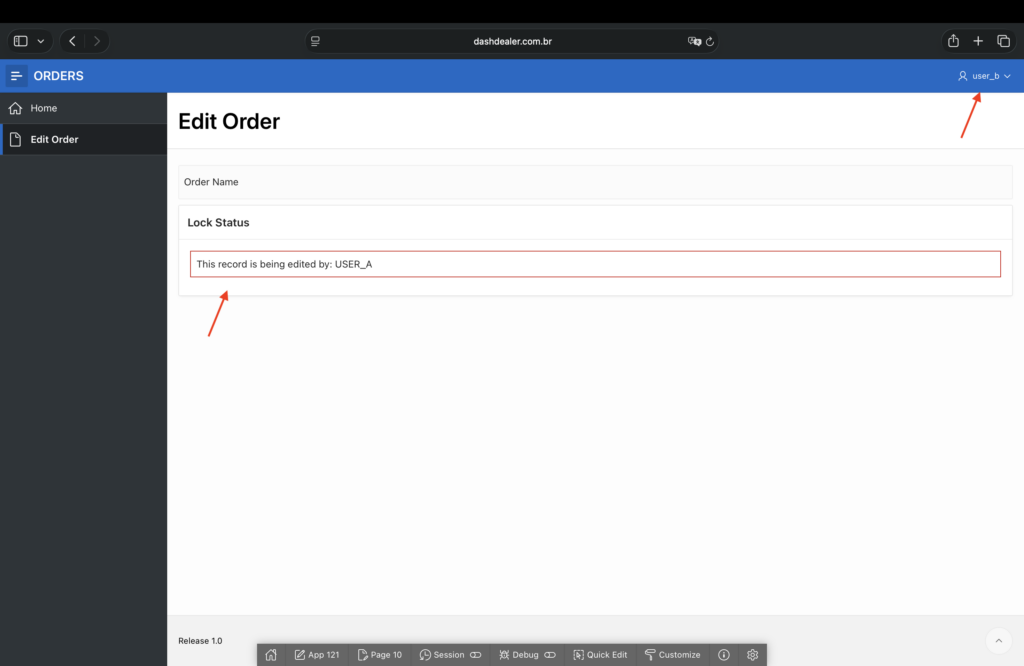
This is where the design pays off. User B is informed immediately. No data loss. No confusion.
After a while, when User A closes the tab, User B can finally edit the information.
User B screen showing “You are editing this record”
Why Ajax Callback Is the Right Tool Here
Could this have been done differently?
We could detect conflicts on submit. But that doesn’t protect the editing session.
We could force page refreshes every few seconds. But that would be disruptive and inefficient.
We could attempt to use database locks. But HTTP is stateless, and row locks do not survive between requests.
Ajax Callback is not just convenient here, it is aligned with how web applications actually behave.
It allows:
- Short, controlled round-trips to the database.
- Immediate UI feedback.
- Periodic background synchronization.
- Clean separation between rule evaluation and user interaction.
Closing Thoughts
This wasn’t a theoretical exercise. It came from a practical requirement that only surfaced after real usage.
Concurrency issues don’t break loudly. They erode trust quietly.
By introducing a lease mechanism backed by Ajax Callbacks, we moved the system from “best effort” editing to intentional state management.
And the interesting part is that nothing about the page’s visual structure changed. What changed was how the client and the database communicate during the editing session.
That, in my experience, is where APEX starts to feel less like a traditional form builder and more like a modern web application framework!